01
Your PC specifications
Live CPU, GPU and RAM usage charts, alongside your PC specifications.
Your PC. Your tools. Clearer control.

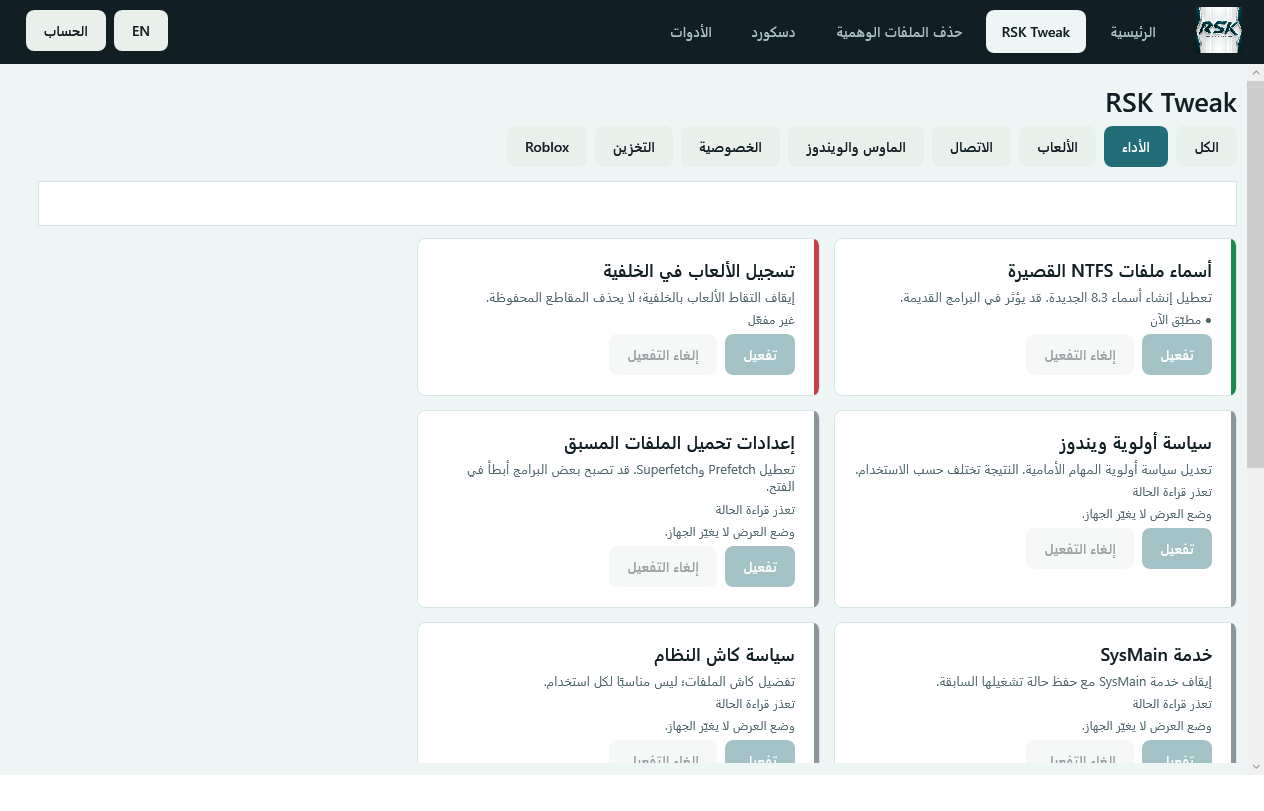
Look after a Windows PC and improve its performance: live monitoring, removable tweaks, cleanup and restore points.
Explore included toolsLive CPU, GPU and RAM usage charts, alongside your PC specifications.
Organized tweaks, clear activation status, visible execution and an option to undo supported changes.
Check Windows, supported software and graphics driver updates.
Create and view system restore points, with restore and removal options.
One button for temporary files, cache and Recycle Bin cleanup, with Windows logs archived before clearing.
Enable or remove the Discord connection adjustment for supported Windows x64 version 1.0.9260. Results depend on your network.
Loading reviews…
After payment is verified, open “My orders” in your account. Your download link and activation code will be there.
One user and one device. Contact support to review your license if you change devices.
Windows 10 and 11 x64, with .NET Framework 4.8 and internet for license verification.
New orders expire after 30 minutes. The order page shows the remaining time, and payment is checked before the order expires.
Open the order details and refresh payment status. Do not pay again if charged; contact support with your order number if the delay continues.
Version 2.2 requires a new purchase. Each order retains the entitlements of its purchased version.
Open “Have a discount code?” on the purchase page (or enter the coupon in the cart), then tap Apply. Review the total before paying; one coupon per order.